Using the Research Console
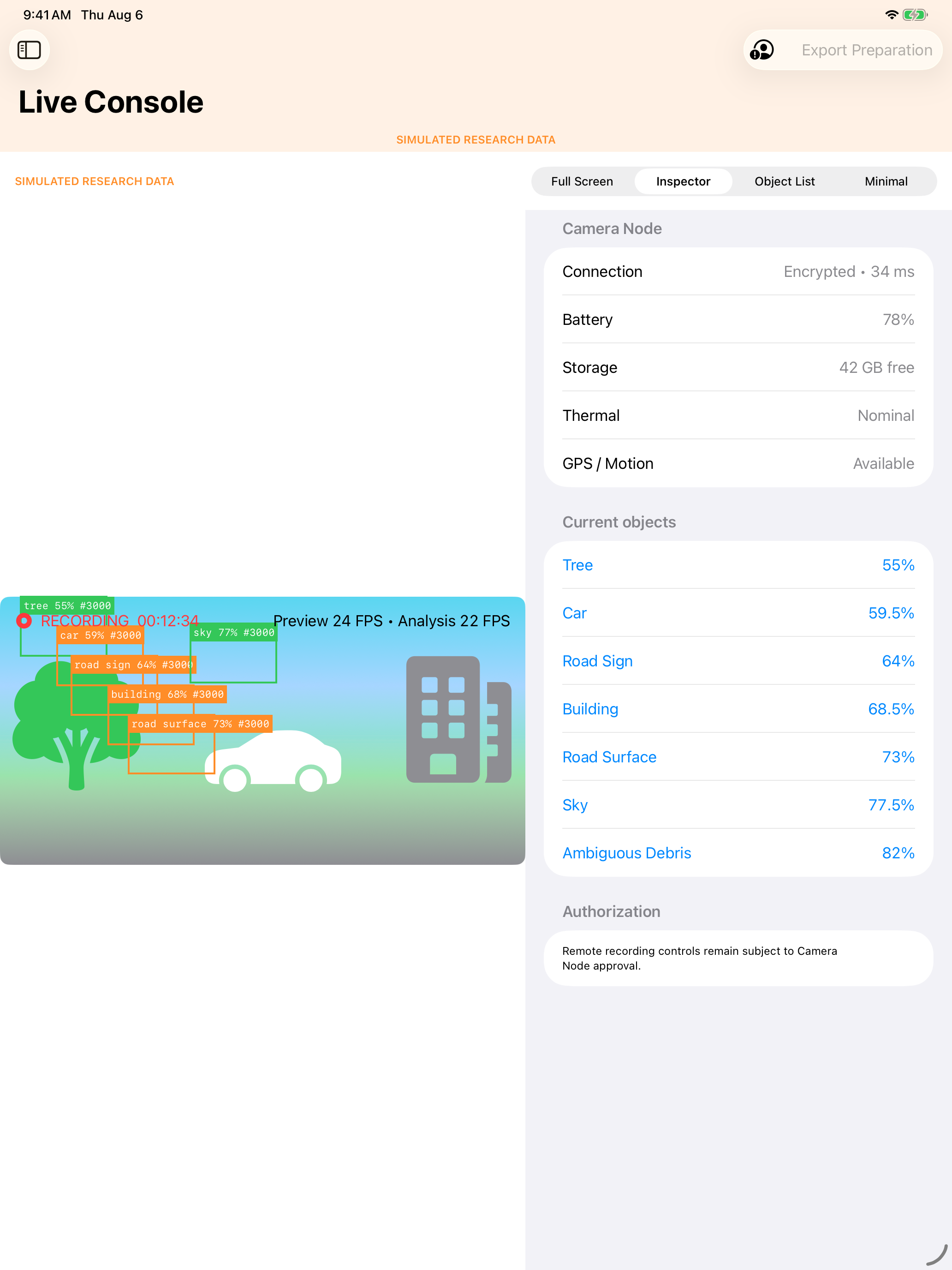
Use the console only while parked or as a passenger. OrganicVision is not a driving system, and its connection is not safety-critical.
- Put iPhone and iPad on the same trusted local Wi-Fi network and grant Local Network access.
- Open the iPhone Camera Node connection screen and the iPad Research Console.
- Select a nearby Camera Node. Confirm that the six-digit codes match on both devices; reject any mismatch.
- Enable remote recording on iPhone only if desired and acknowledge the first-use warning locally.
- Monitor the large preview and the status inspector for recording, camera, sensors, storage, battery, thermal state, latency, quality, and warnings.
- Use permitted recording, metadata, and bookmark controls. Disconnect does not stop local recording.
- A trusted device reconnects with exponential backoff after temporary Wi-Fi loss. Choose Forget to revoke trust and require pairing again.
Simulator builds use a clearly labeled in-process Camera Node and encrypted-protocol lab. Degrade exercises constrained status; Disconnect verifies reconnect and recording independence.