Project dashboard
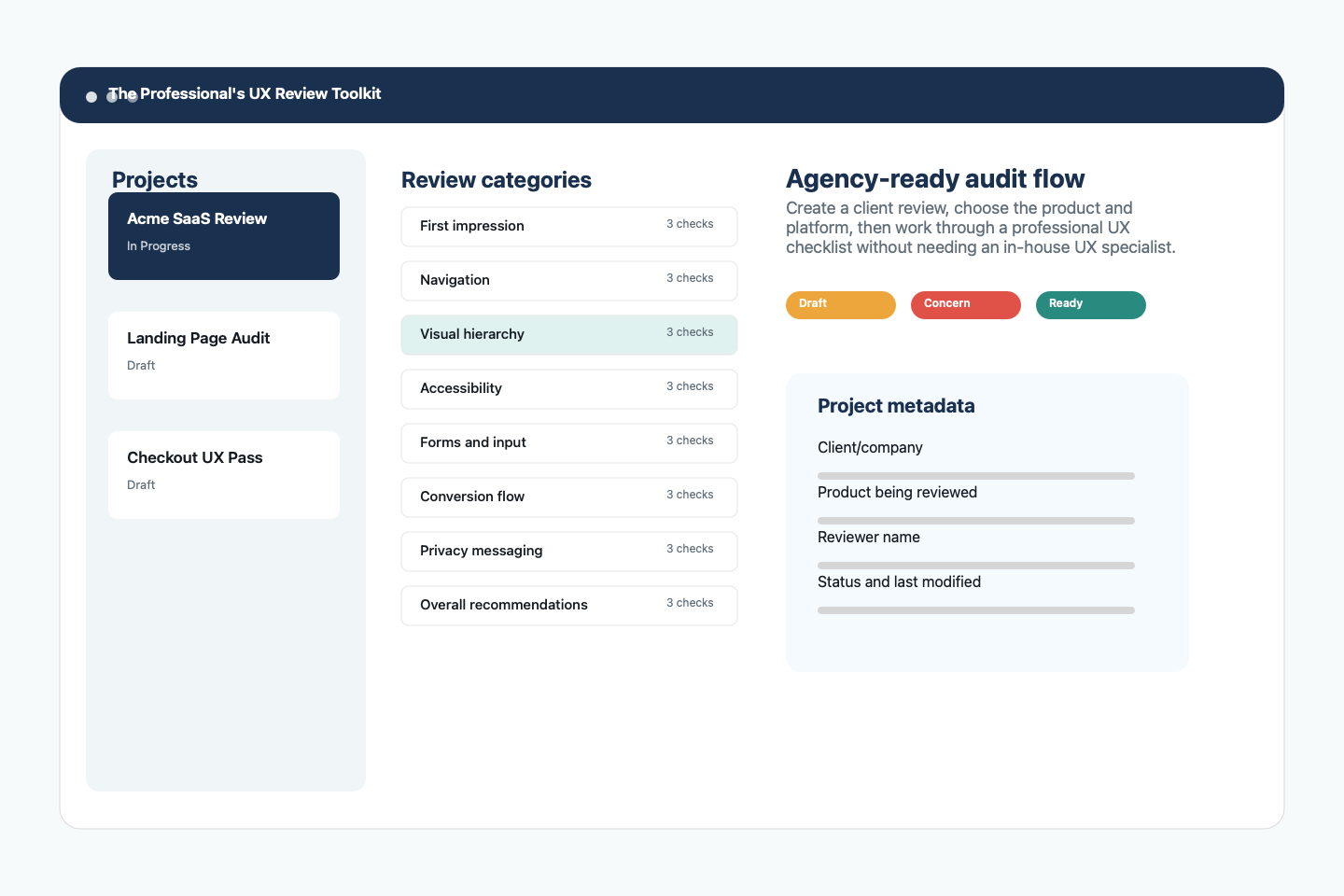
Create projects with client, company, product, platform, review type, reviewer, dates, and status.
 UX Review Toolkit
Native iOS, iPadOS, macOS, Android phone, and Android tablet app
A guided UX audit assistant for marketing teams that need to review client websites, apps, landing pages, funnels, onboarding, and conversion flows without a dedicated UX person on staff.
Made for lean marketing teams
Agencies are often asked to improve conversions, landing pages, onboarding, forms, app store listings, and product journeys before a formal UX engagement exists. This toolkit gives account managers, strategists, designers, copywriters, and performance marketers a structured way to inspect the experience, capture evidence, and deliver useful recommendations.
Create one review per client or campaign, record reviewer name and platform, track status, and export a report that can move directly into a client deck, ticket queue, or strategy document.
The app does not pretend to replace a UX expert. It gives non-specialists a professional checklist, evidence capture, and recommendation structure so their review is more complete and defensible.
Features and functionality
Create projects with client, company, product, platform, review type, reviewer, dates, and status.
Use seeded sections for first impression, navigation, hierarchy, accessibility, forms, errors, ergonomics, trust, conversion, onboarding, privacy, store readiness, and recommendations.
Mark every item as Pass, Concern, Fail, or Not applicable, then assign Low, Medium, High, or Critical severity.
Capture what the reviewer saw, why it matters, and what the client should change next.
Attach screenshots, camera photos, and imported images to individual checklist items for stronger client explanations.
Use multi-pane layouts on iPad, Android tablets, and macOS so projects, categories, checklist items, and details stay visible.
Use a clean stacked flow on iPhone and Android phone when reviewing on the go.
Choose sections, include or exclude screenshots, filter to issues, and add executive summary and final recommendations.
Export PDF, Markdown, plain text, JSON, CSV, Excel-compatible data, and HTML for agency handoff.
Keep review work on the device, with Apple ecosystem sharing through iCloud-oriented workflows and Android export/import through native storage targets.
Review onboarding, privacy messaging, permission timing, app store readiness, and trust signals in one place.
An AI-assisted summary area is labeled Coming Later and disabled. The current product is a human-guided professional review toolkit.
For first-time reviewers
Review the sample SaaS onboarding audit before starting a real client project. It shows how to write findings, assign severity, attach evidence, and turn observations into practical recommendations.
View example reportsHover highlighted terms on this page for quick explanations, then use the definitions page when you need deeper context about UX audit language and purpose.
Open definitions indexAgency workflow
Add client, product, platform, reviewer, and review type so the audit is clearly scoped.
Move through professional categories that cover conversion, readability, accessibility, privacy, and more.
Add screenshots, photos, and notes to show exactly where an issue appears.
Send a focused PDF, Markdown, HTML, JSON, CSV, text, or spreadsheet-friendly handoff.
Application screenshots
Keep client projects, statuses, platforms, and review categories organized before the team starts evaluating screens.
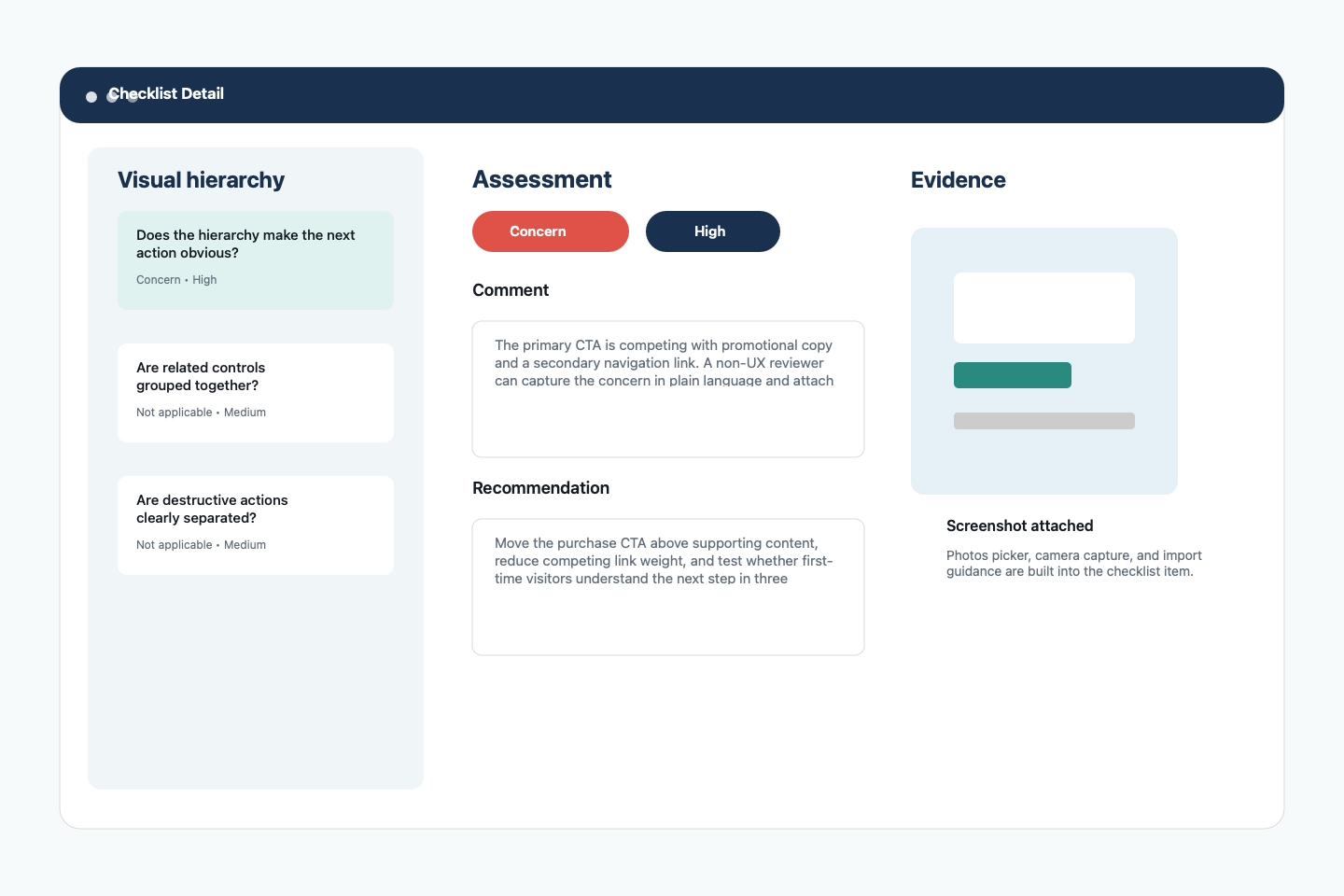
Assess each question, mark severity, add comments, write recommended fixes, and attach visual proof for client conversations.
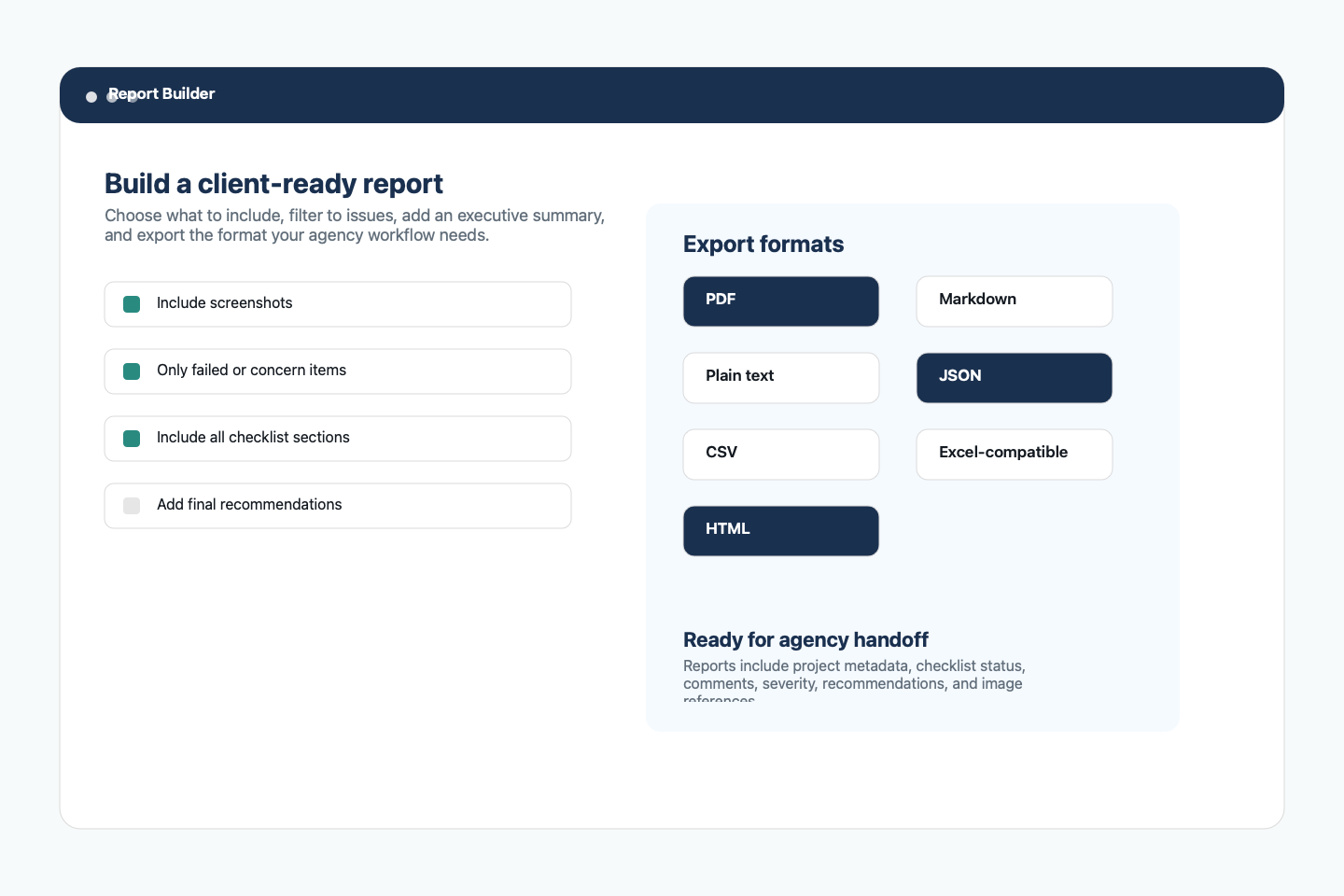
Filter the report to all checklist items or only the concerns and failures that matter most for a client-ready action plan.
Platforms
SwiftUI and SwiftData app with adaptive phone, tablet, and desktop layouts. Apple users can rely on native file export and iCloud-oriented sharing patterns.
Kotlin, Jetpack Compose, Material 3, and Room. Android users can rely on device storage, Android backup, and native share/export destinations such as Google Drive.
A practical UX audit guide
Use the toolkit before redesigns, landing page launches, funnel optimization projects, app store updates, onboarding revisions, and campaign postmortems.