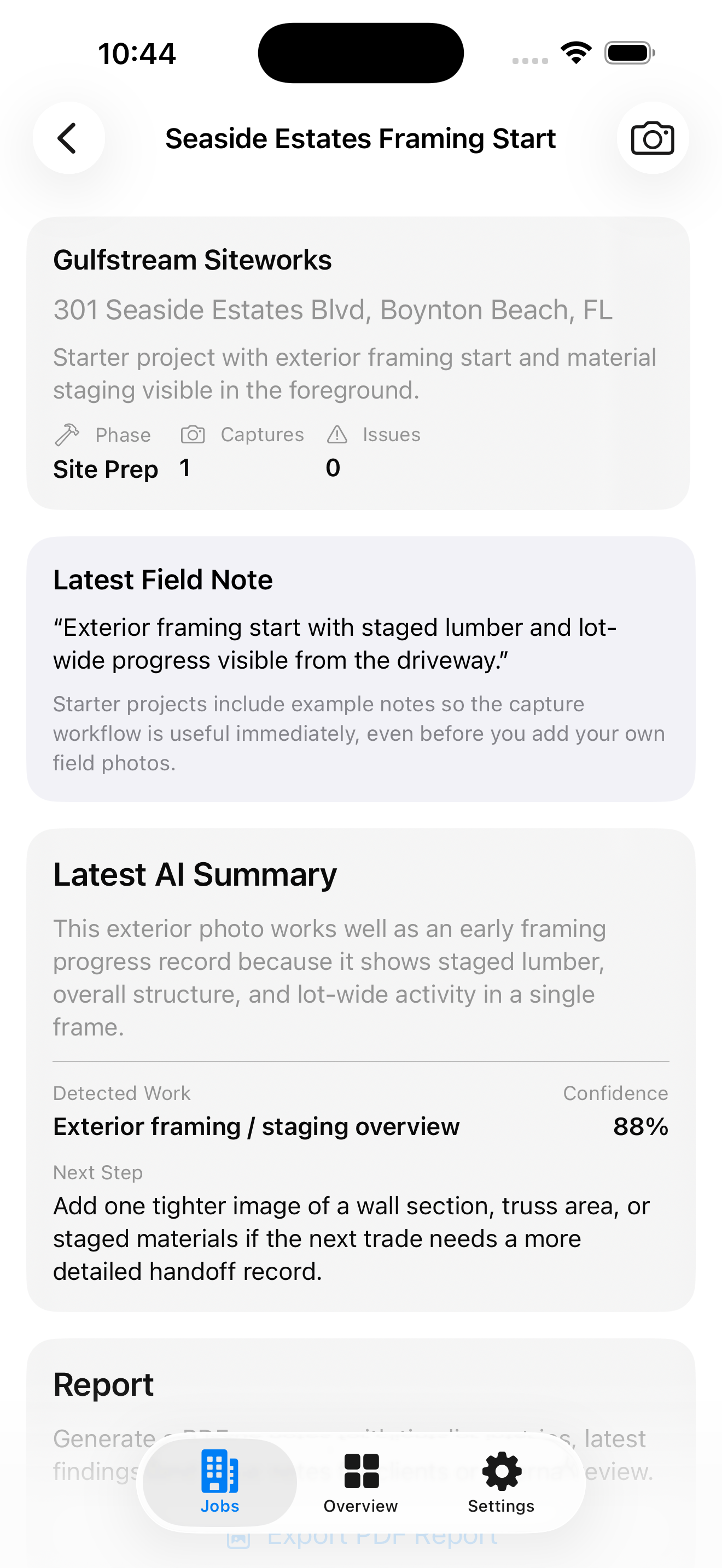
Open the job
See client, address, current phase, capture count, open issues, and the latest progress summary.
Field documentation, built for the job site
Capture real job-site photos, organize progress by trade, review AI-assisted field insights, and export polished PDF reports—right from your phone.
From site walk to report
A focused four-step workflow keeps documentation useful without turning field work into office work.
See client, address, current phase, capture count, open issues, and the latest progress summary.
Use the camera or photo library, then write a field note that tells the analysis what deserves attention.
Check the detected work, progress status, confidence, issue list, and recommended next step.
Generate a clean PDF with project details and saved observations, then share through the device.
Everything in the current app
The current release covers the complete local documentation loop on both mobile platforms.
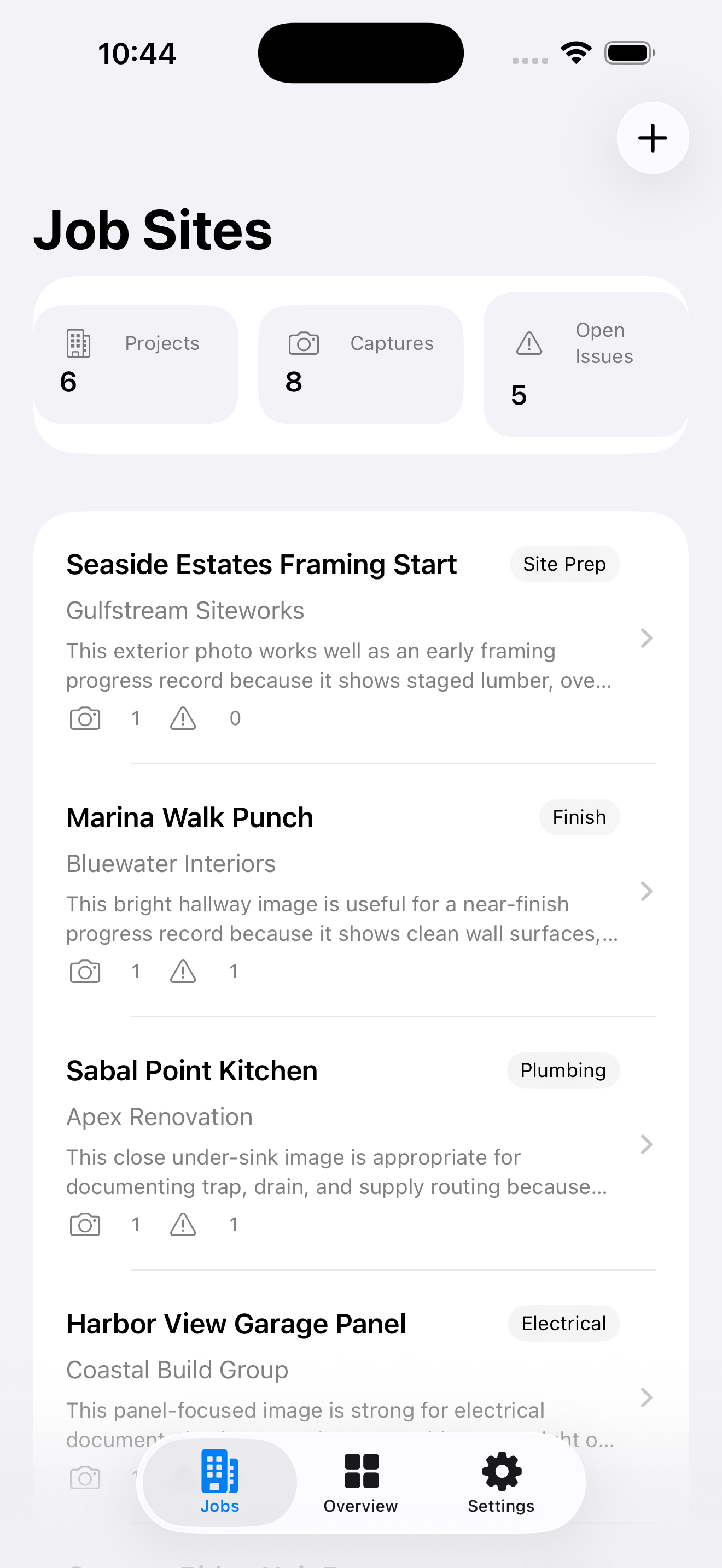
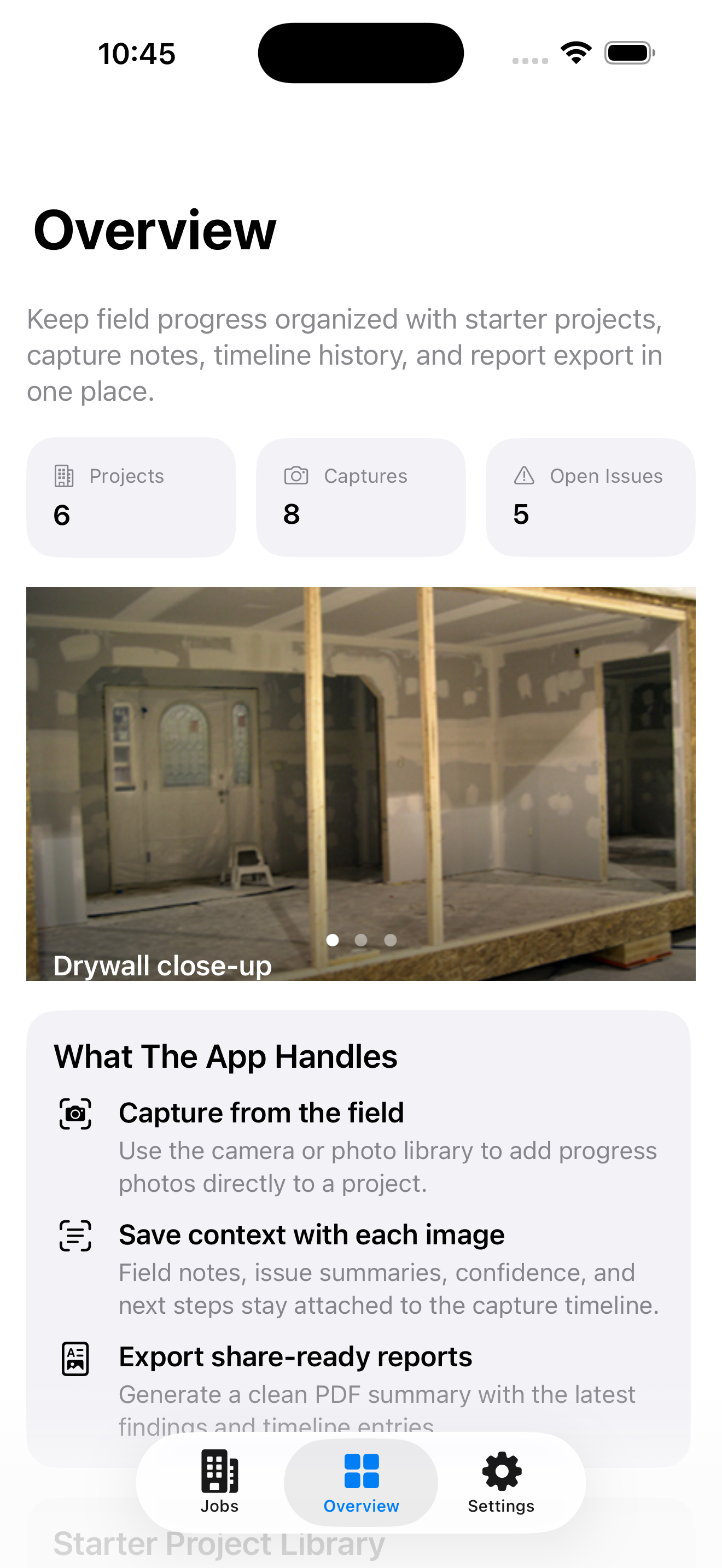
Create projects with client, address, phase, and field notes. The dashboard keeps job counts, captures, and open issues visible at a glance.
Take a live camera photo or import one from the library, add a note, and save it directly to the right job timeline.
Get a work-type summary, completion status, confidence, issue severity, and a practical next step for each saved capture.
On iOS, new images can be compared with the latest saved capture to make changes in framing, finish, and image quality easier to spot.
Photos, timestamps, notes, summaries, and issues stay together in chronological job history for quick walkthrough review.
Generate a multi-page PDF field report and send it through the native iOS or Android sharing tools before leaving the site.
The current iOS experience
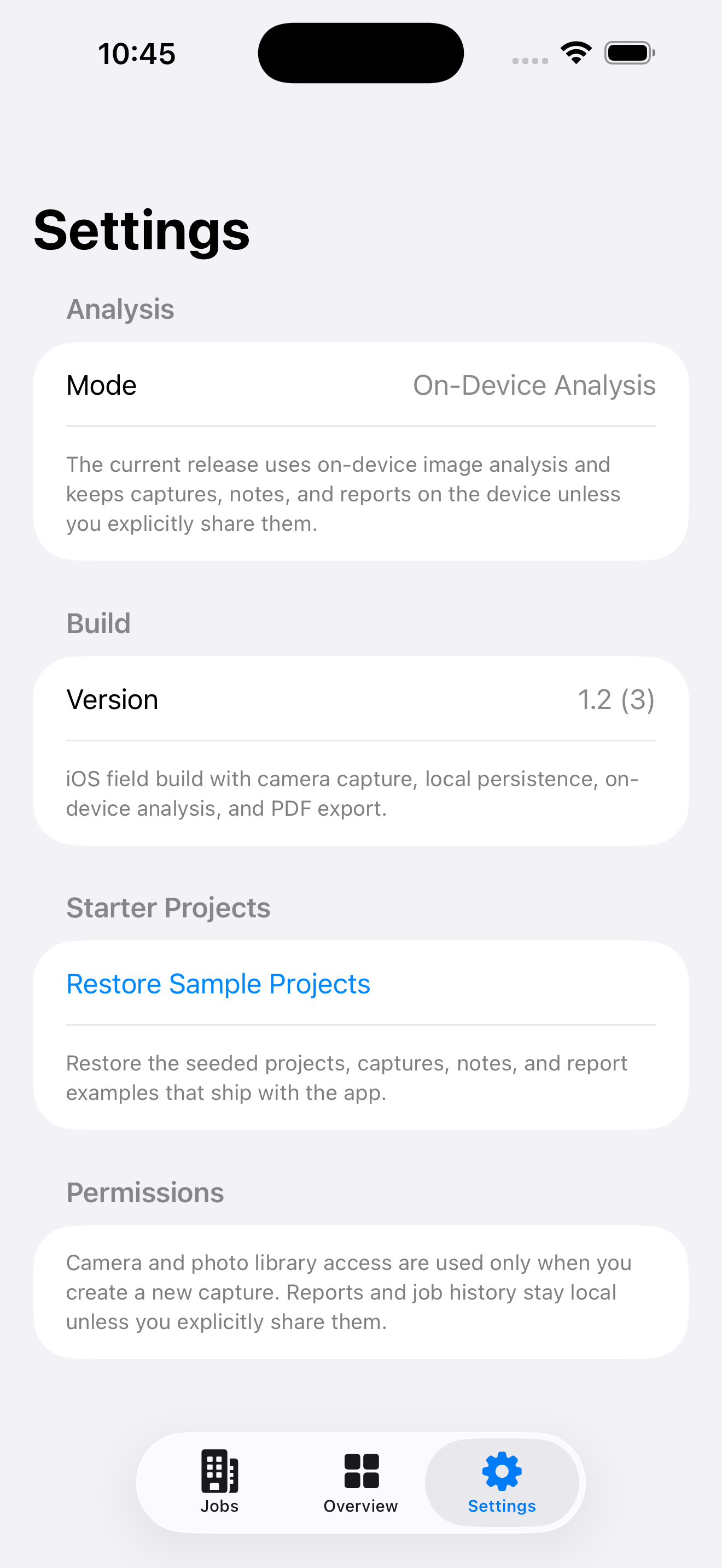
Real screens from the current build show the dashboard, project detail, privacy controls, and portfolio overview.
Useful analysis, grounded expectations
The iOS app evaluates image labels, readable text, people, rectangles, brightness, sharpness, job phase, the field note, and prior capture context. It turns those signals into contractor-oriented guidance without claiming a code inspection or trained defect diagnosis.
Native on both platforms
Camera and library capture, Apple Vision and Core Image analysis, prior-photo comparison, local JSON and image storage, settings for local or backend API mode, and native PDF sharing.
Explore iOS features →Runtime camera capture, photo picker import, phase-aware summaries, local JSON and image persistence, seeded demo projects, issue history, and native PDF report sharing.
Explore Android features →Document it while it is visible
Contractor AI Job Site keeps progress photos, field notes, issues, and reports connected to the job—without requiring an account or cloud setup.