iPhone & iPad · Version 1.1 in preparation Android edition in testing No app account needed. No ads. No automatic uploads.
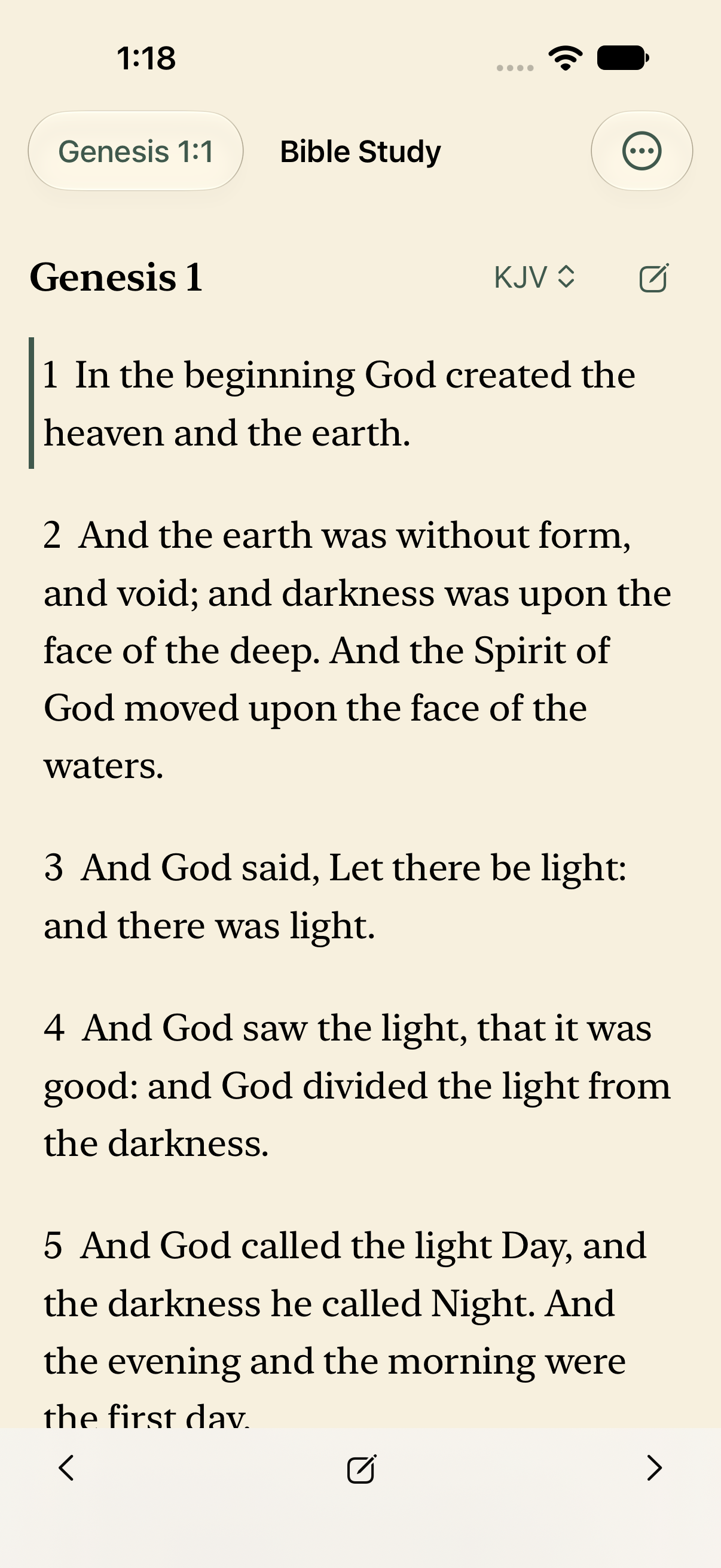
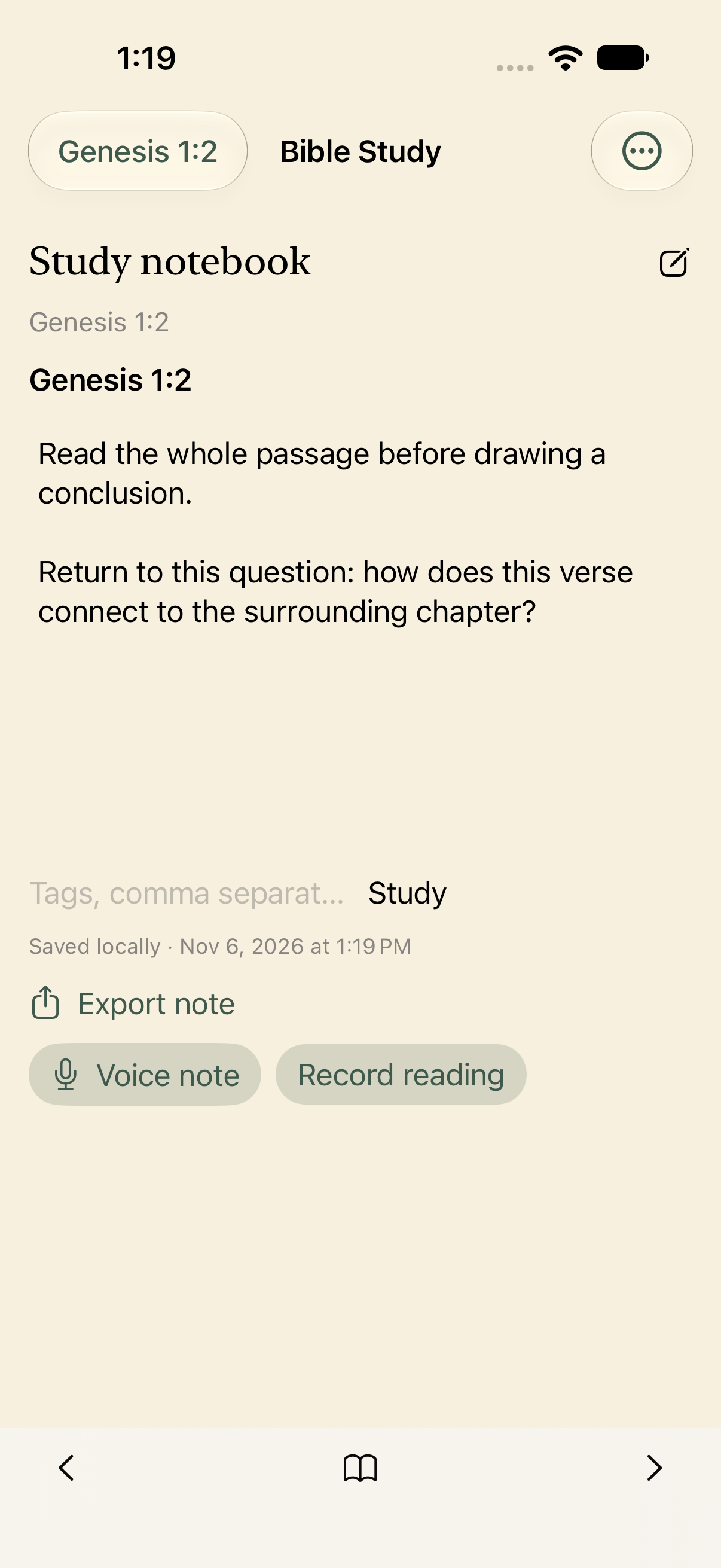
A real iPhone simulator capture of version 1.1.
Read with room to think
Scripture stays at the center.
A Bible that works offline
Complete WEB, ASV 1901, KJV, and Spanish Reina-Valera 1909 texts. Jump to a book, chapter, or verse. Search the installed text and compare translations on a wide screen. Corrected word spacing and compact navigation keep Scripture easy to follow.
Notes tied to the passage
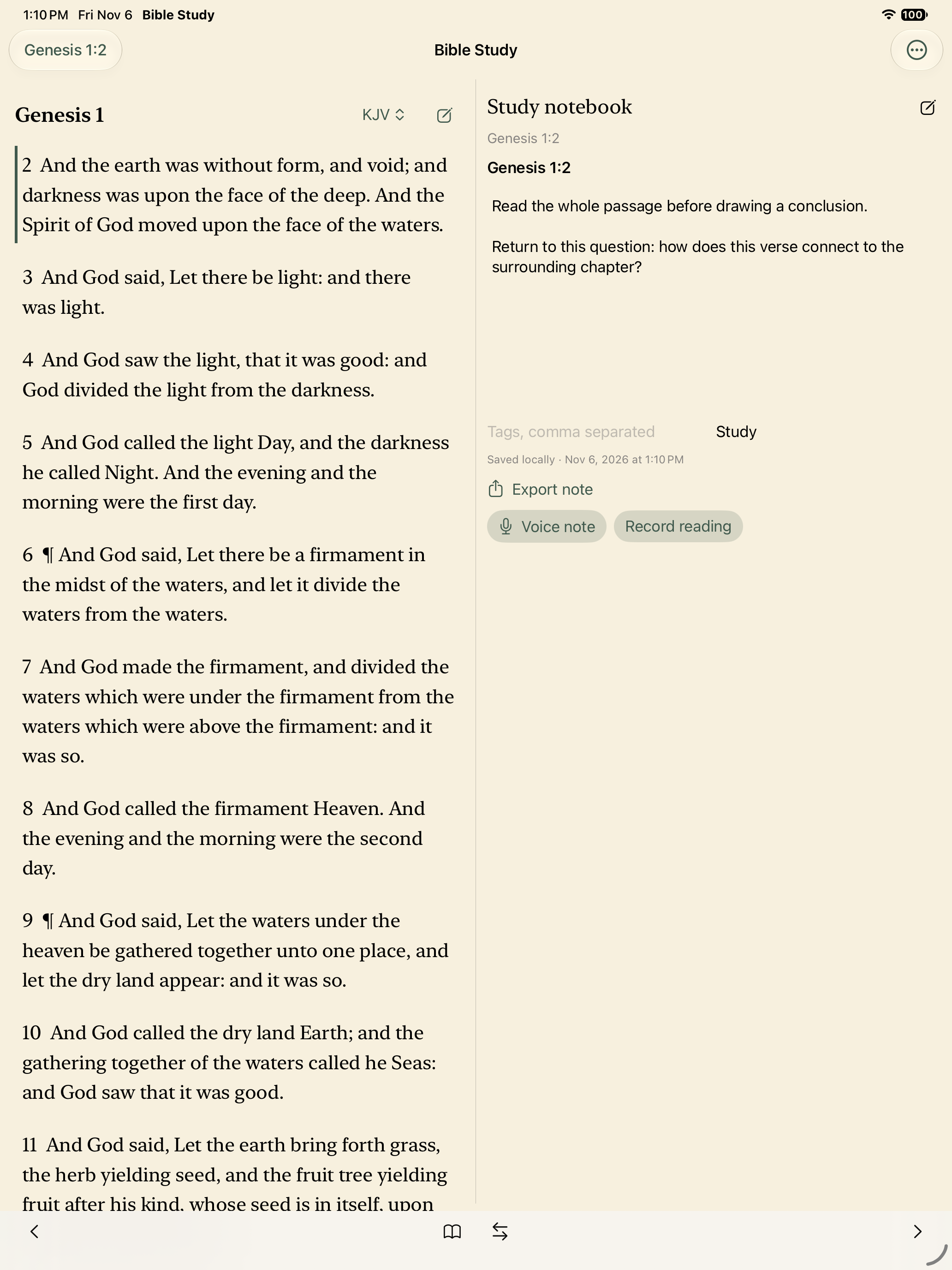
Open the notebook from the reader. Add text, titles and tags, bookmark verses, and use named highlights. Your notes stay with the Scripture reference.
Your own voice
Record a voice note or yourself reading. Pause, resume, save and play it locally. Read-aloud uses the installed system voice, with adjustable speed.
Inside the app
A place for Scripture. A place for your thoughts.
Actual captures from the version 1.1 iPhone and iPad simulator builds, using original example notes.
Keep your questions beside the passage.Read at your own pace.Explore the foundations of your faith.
Understand and explore
More context for your study.
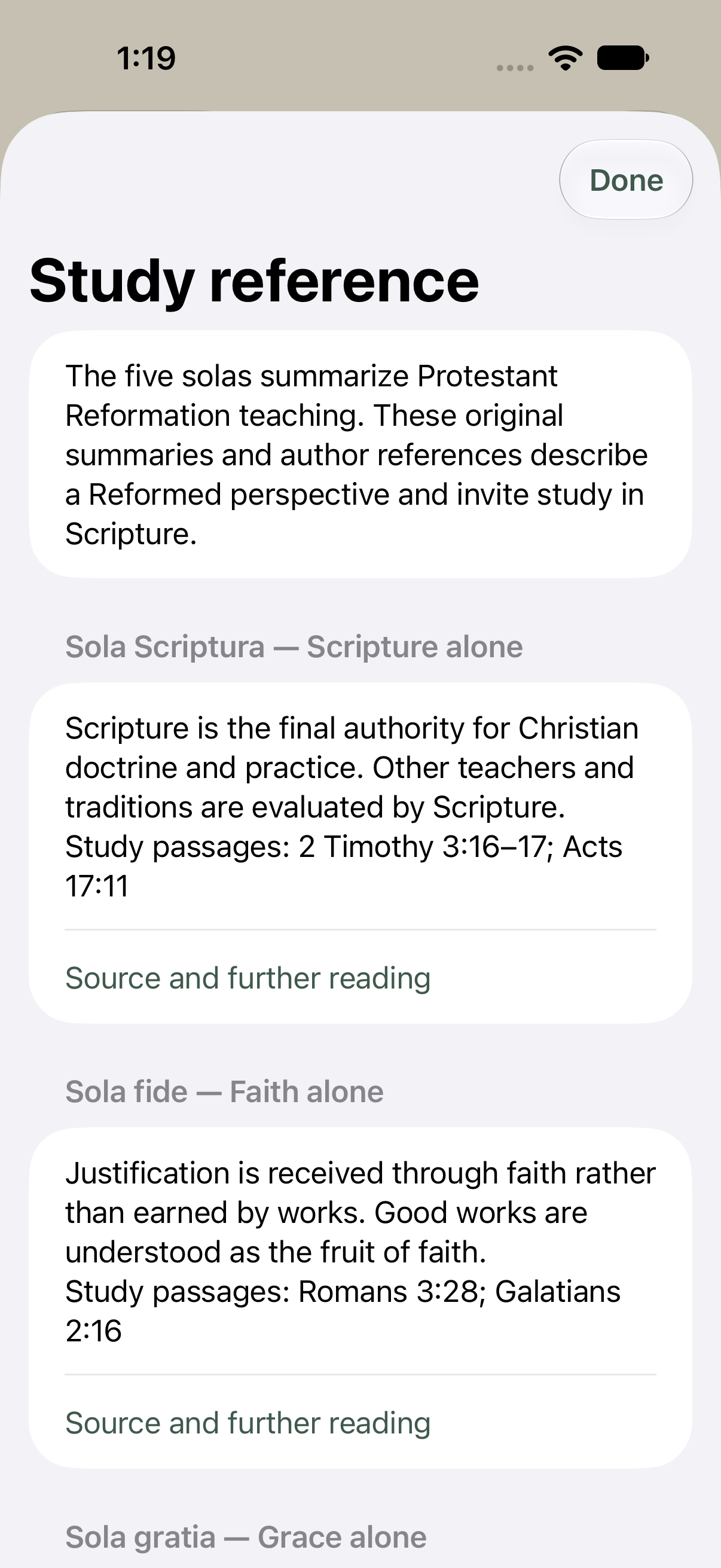
The five solas
Original summaries introduce Scripture alone, faith alone, grace alone, Christ alone, and glory to God alone, with passages for further study.
Christian authors
Find introductions and reading references for Gordon H. Clark and John W. Robbins, with links to further reading. Their books are not reproduced in the app.
Public-domain Scripture
Four complete editions are available offline: WEB, ASV 1901, KJV, and Reina-Valera 1909. Modern publisher-controlled translations are not included.
Choose your pace
More than one way to read.
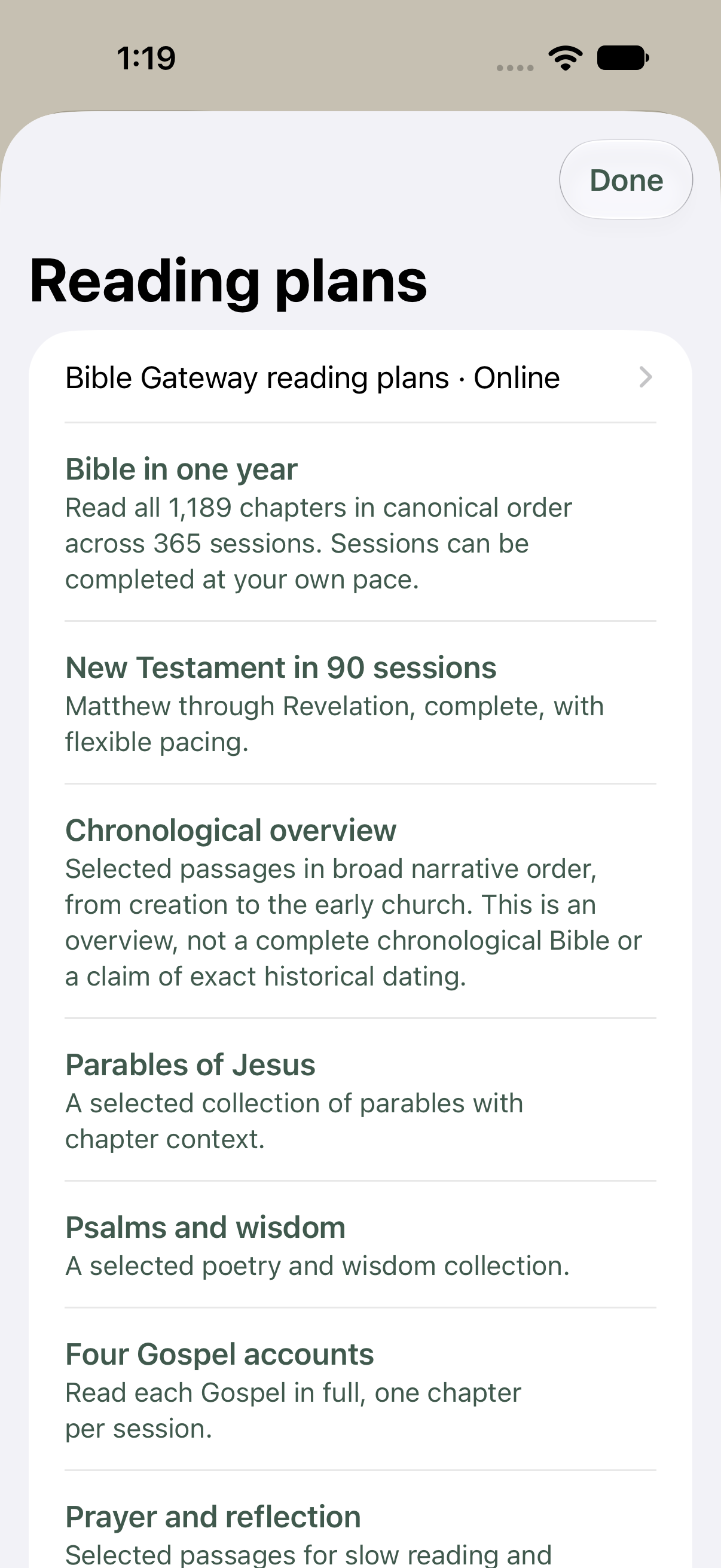
Original offline schedules and selected collections help you find a starting point. Mark sessions complete when you are ready, without streak penalties.
Bible in one year
New Testament
Parables of Jesus
Chronological overview
Psalms & wisdom
Four Gospels
Prayer & reflection
Observe, interpret, apply
Hope & encouragement
The chronological overview contains selected passages in broad narrative order; it is not a complete historical chronology. You can also open all 18 Bible Gateway plans online from the app. Their dates and progress are managed on that website, separately from offline plans.
Coming in version 1.1 · Optional Premium
See how your understanding grows.
Your earlier reflections can be part of your next reading. Keep dated study stages and return to them when you are ready.
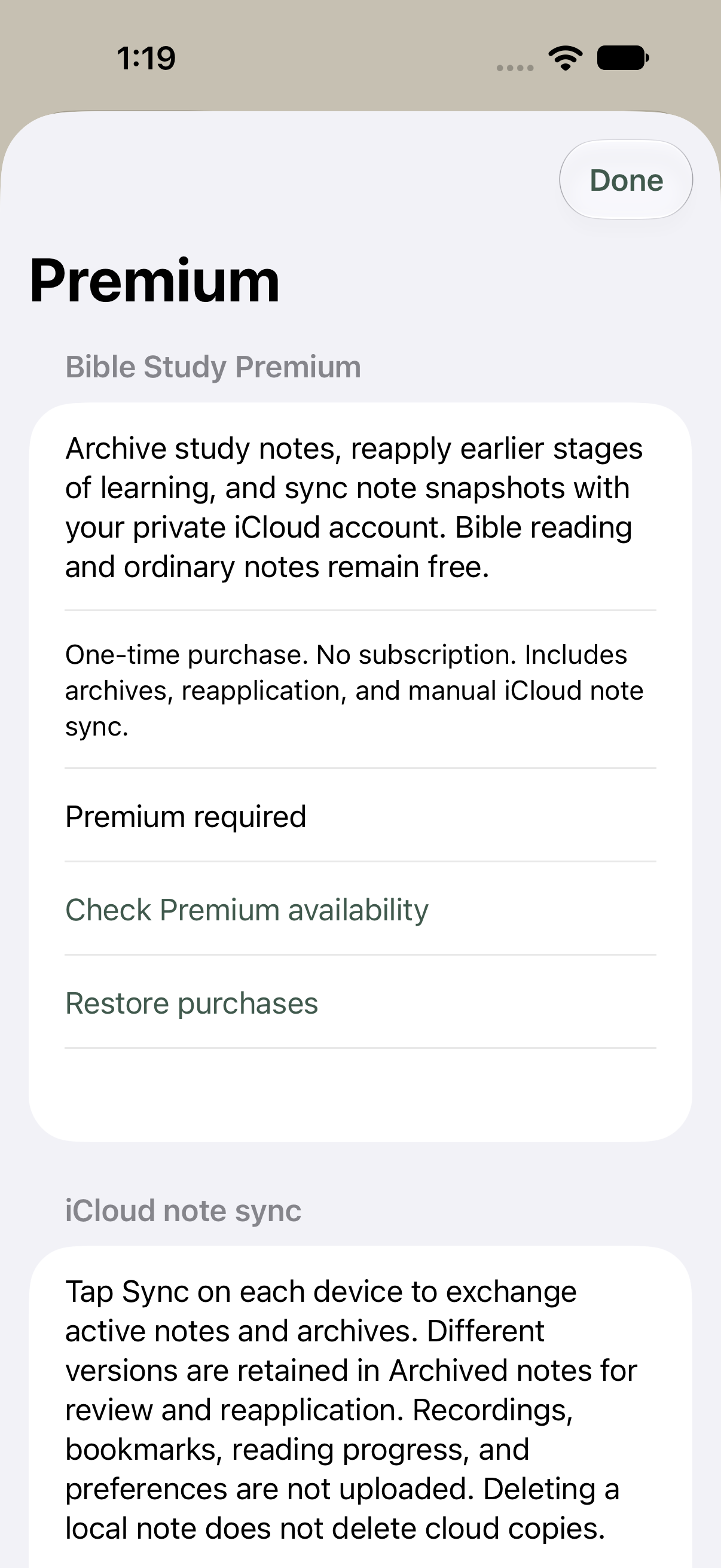
Archive your notes. Preserve an earlier stage with a date and a label.
Reapply a study stage. Bring an earlier note back to the passage while saving your current note and keeping the archive intact.
Sync text notes on your terms. Tap to exchange note snapshots and archives through your private iCloud account on Apple devices.
Premium is planned as a one-time purchase, with the final price shown in the App Store before purchase. No subscription. Ordinary notes, Scripture reading, bookmarks, study references, and reading plans remain free.
Premium is being prepared for store review and is not yet available to purchase. Archives remain readable and exportable without Premium access. Sync is manual and covers text notes and archives only. Audio, bookmarks, reading progress, and settings remain local. Android uses a user-selected document-provider folder; it does not connect to iCloud or share purchases across stores.
The optional tools for preserving your study journey.
Personal means personal
Your study belongs to you.
Your study starts on your device. Share a copy only when you choose, or explicitly sync text notes with the optional Premium tools. There are no app accounts, ads, analytics SDKs or automatic private-content uploads.
Device backups and destinations you choose for exports have their own settings. Premium note sync uses your private iCloud account on Apple devices. It is not a complete device backup. Cloud copies are managed separately from local notes.
On a narrow phone, switch between Bible and notebook. On a wide window or tablet, use both panes together and swap their sides. Choose white, warm sepia or dark mode and increase the text size.
Scripture and your notebook together on iPad.
Part of HerbDev’s Duo Ready family. A workspace that adapts to your screen.
 Bible Study