Real captured product screens

Enlightened Money makes beginner finance feel calm, visual, and doable.

These website previews now use full-length screenshots captured from the actual iOS and Android apps, plus watch-style companion mockups for marketing use.

  • Welcome message with creator audio and terms access
  • Guided setup, progress tracking, roadmap, and toolkit tools
  • Privacy Policy and Terms of Use available for the website and app
iOS welcome screen
Android home screen

Mapped to the app

Every preview below reflects live functionality in the codebase.

The website references the same onboarding, home, roadmap, and toolkit experiences implemented in EnlightenedMoney/ContentView.swift and android/app/src/main/java/com/example/enlightenedmoney/EnlightenedMoneyAndroidApp.kt.

Welcome flow

Message from the creator, audio play button, and terms entry

The first screen introduces the app, plays the creator message, and links directly to the legal disclosures before the user continues.

Code: OnboardingView on iOS and AndroidOnboarding on Android.
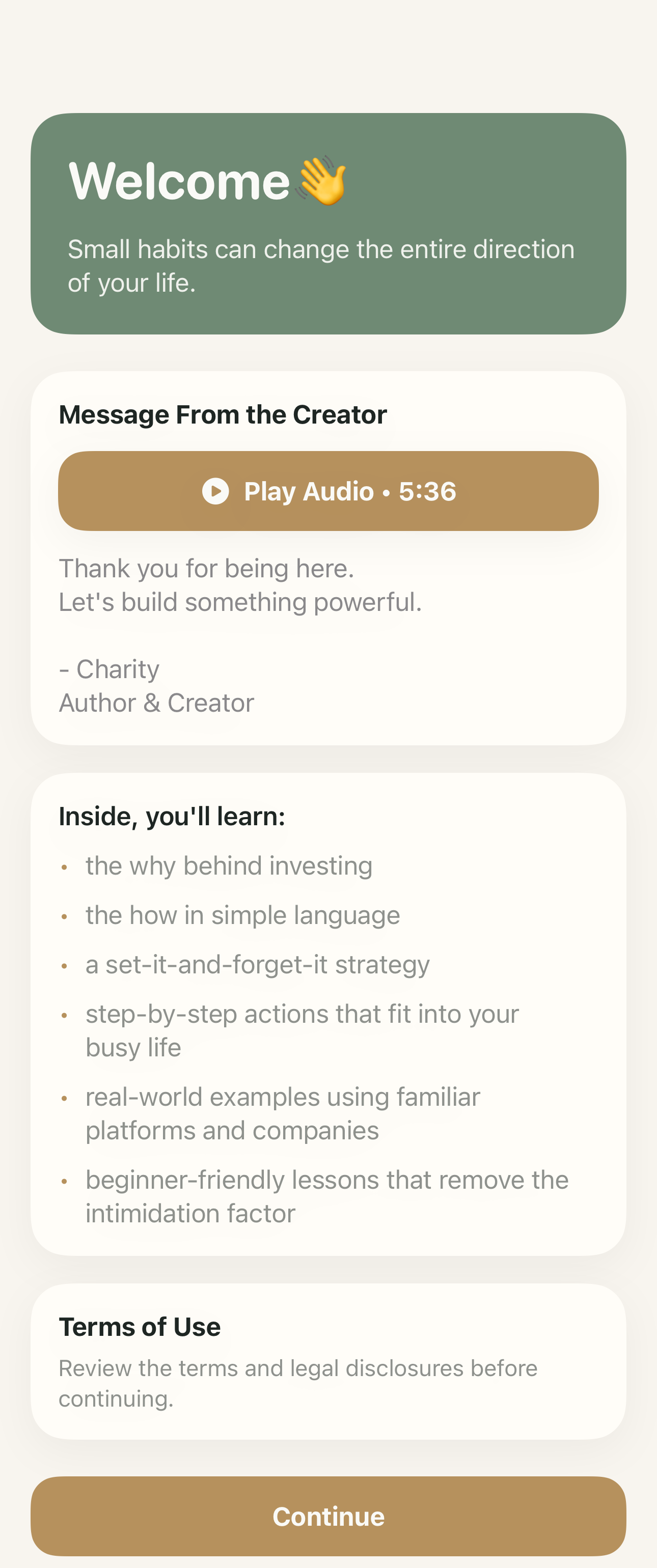
iOS welcome page
Android welcome page

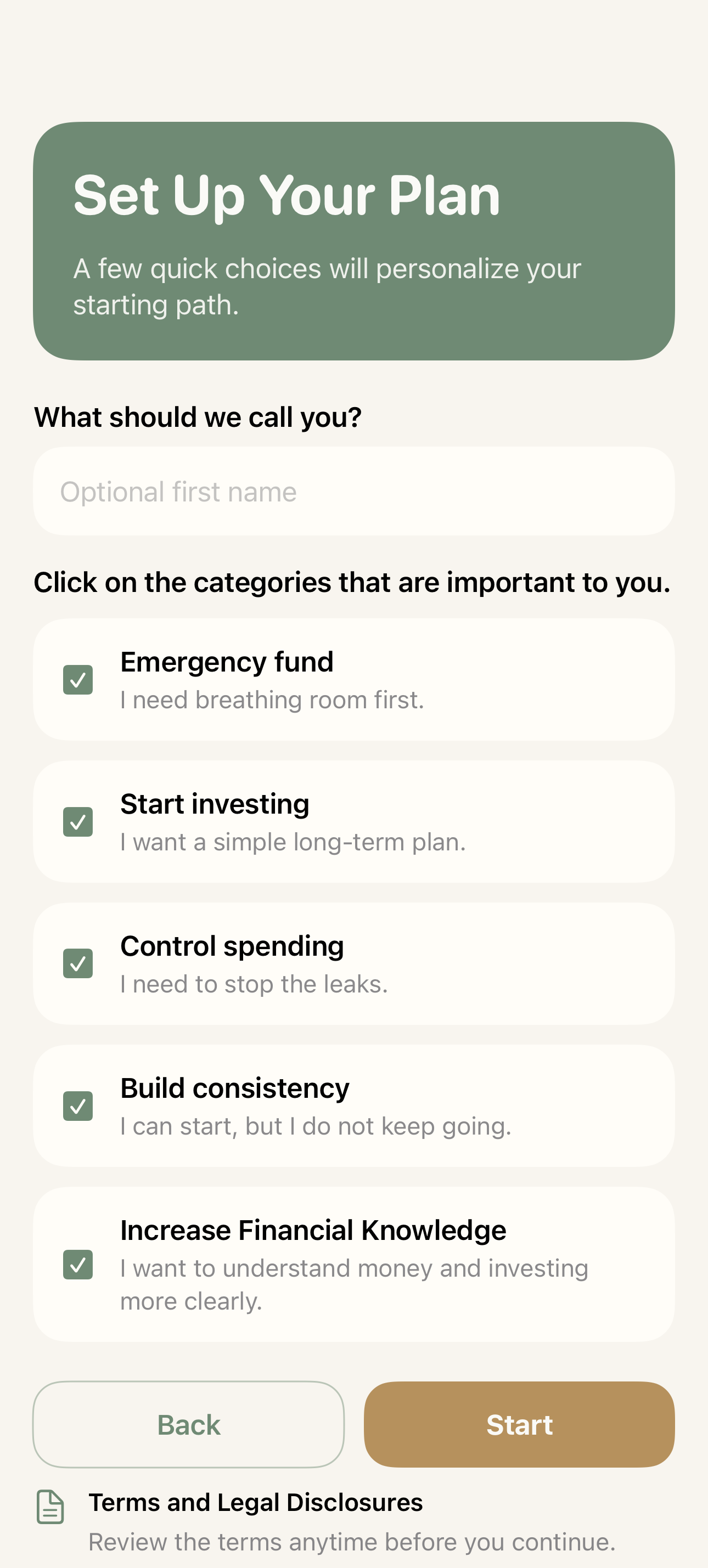
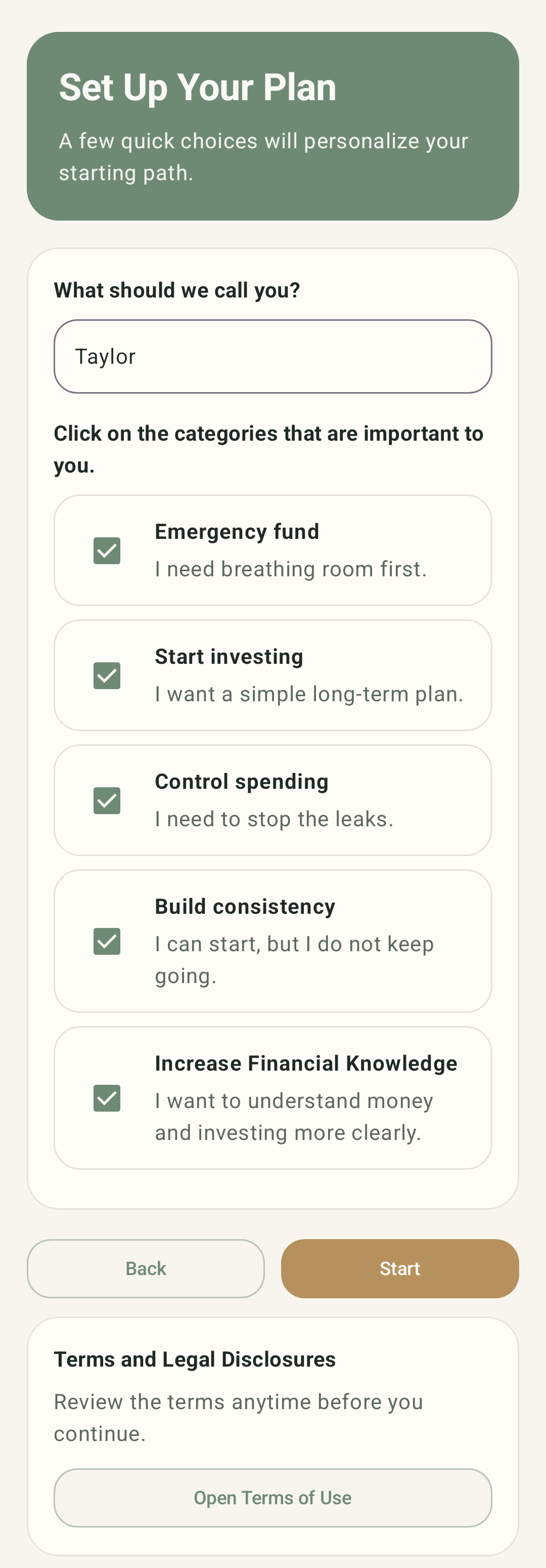
Set up your plan

Name capture, priority selection, and start action

This setup screen helps users personalize their path with a light onboarding step before entering the main app experience.

Code: OnboardingView(initialStep: 1) and AndroidOnboarding(onboardingStep = 1).

iOS setup screen
Android setup screen

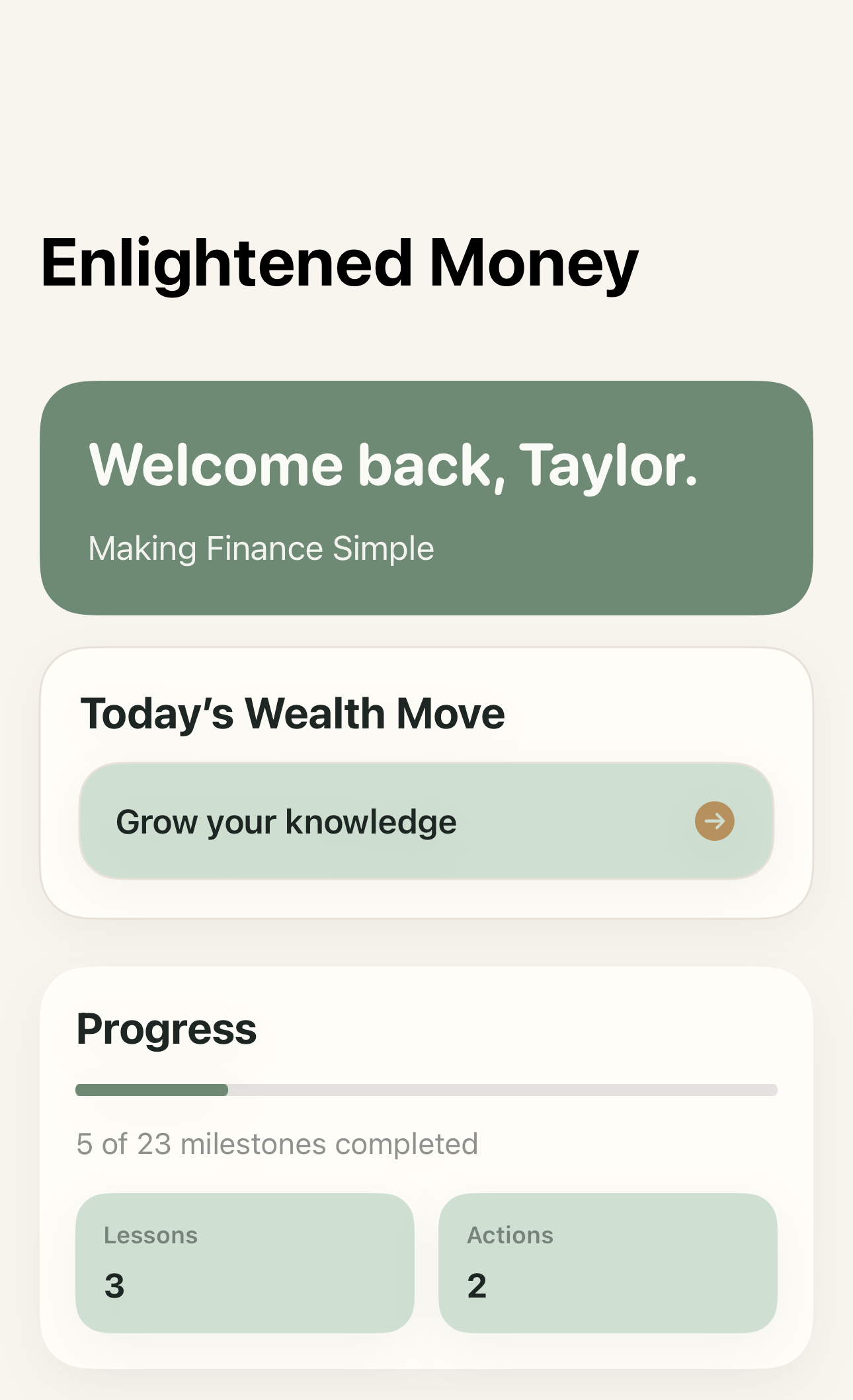
Home dashboard

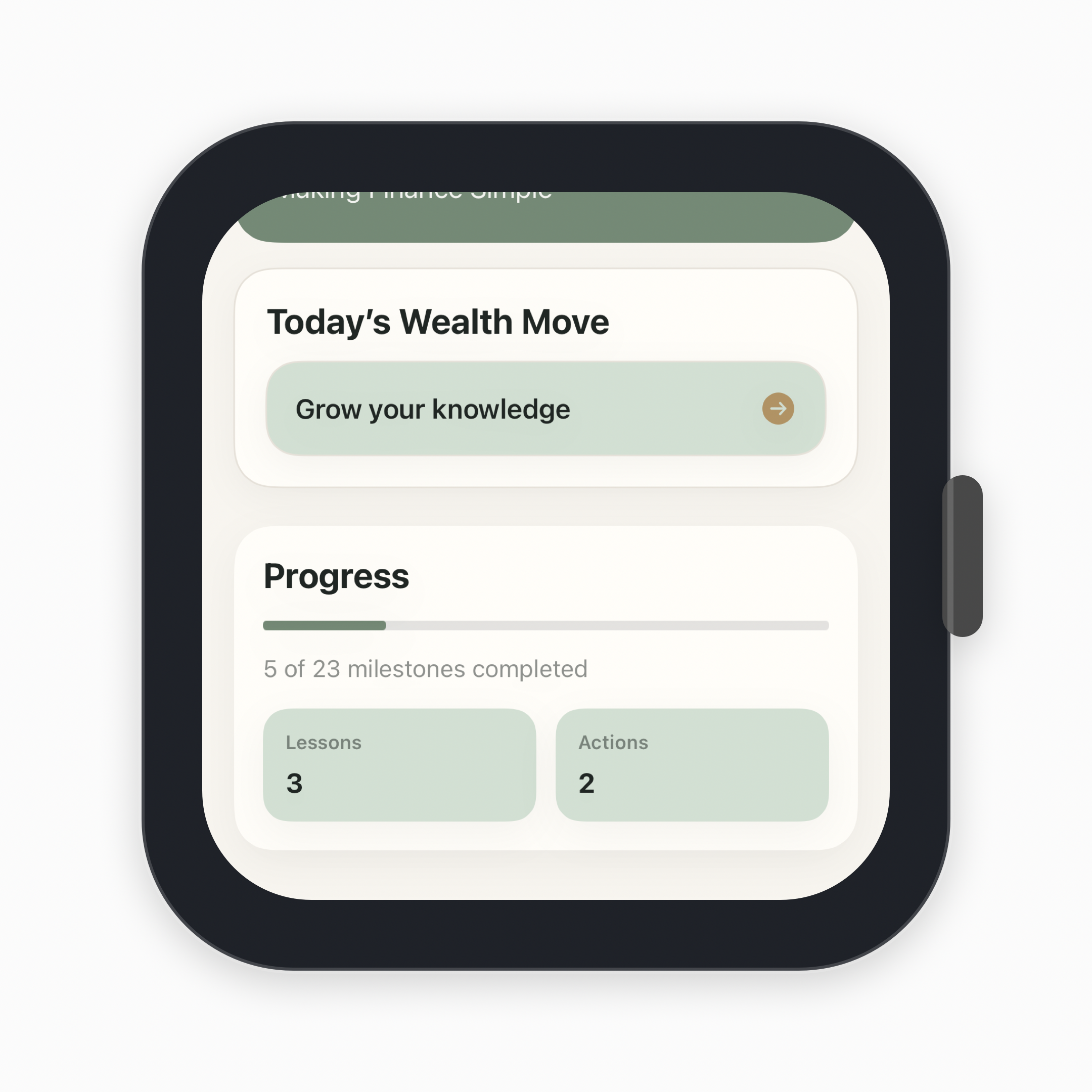
Today’s wealth move, progress, and next-step tools

The home page highlights the next lesson, current progress, and shortcuts into the practical toolkit without overwhelming the user.

Code: HomeDashboardView and HomeScreen.

iOS home dashboard
Android home dashboard

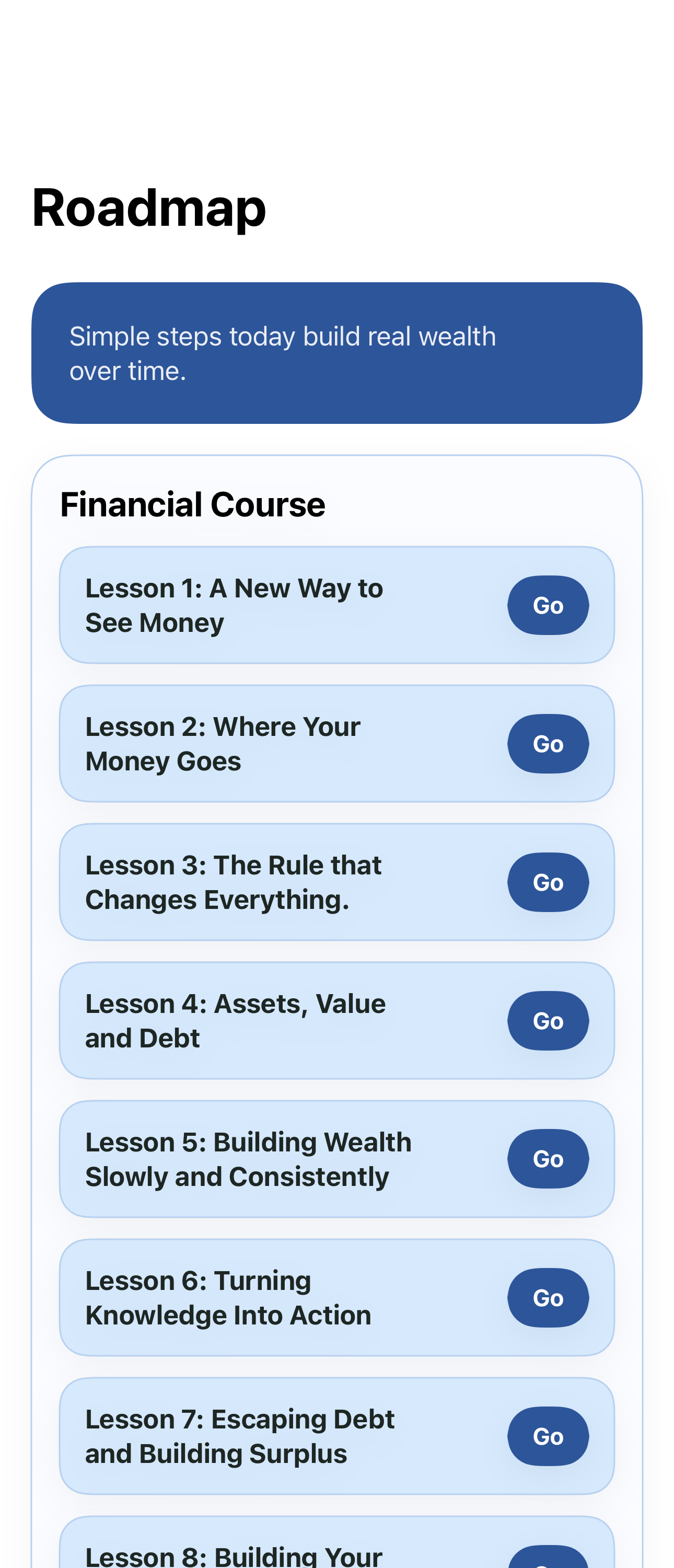
Course roadmap

Lesson lineup and action-driven course structure

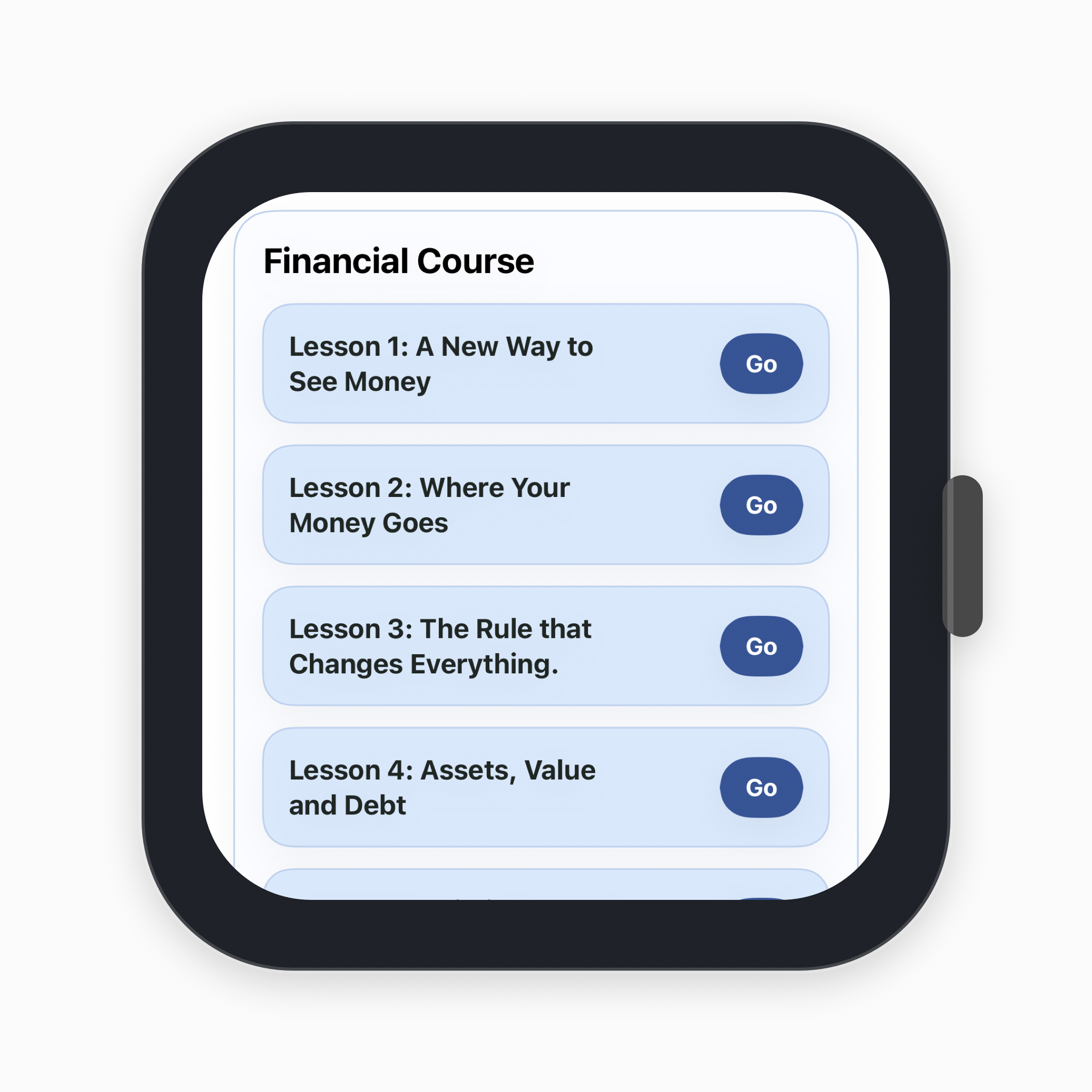
The roadmap screen organizes the course into approachable lessons and direct action steps so users can move through the curriculum in order.

Code: RoadmapView and RoadmapScreen.

iOS roadmap screen
Android roadmap screen

Toolkit

Action tools like Dream Big, Financial Snapshot, and safety-net planning

The toolkit is where users turn lessons into action with guided prompts, calculators, and reflection tools tied to the course.

Code: ToolkitView, DreamBigToolView, and ToolkitScreen.

iOS toolkit screen
Android toolkit screen

Watch-style marketing set

Companion watch visuals for both platforms

These are marketing mockups built from the captured app screens, stored alongside the phone screenshots for future web and store creative.

iOS watch-style home mockup
iOS watch mockup
Android watch-style home mockup
Android watch mockup
iOS watch-style roadmap mockup
Course preview
Android watch-style toolkit mockup
Toolkit preview

Website legal and platform pages are ready to review.

Browse the dedicated iOS and Android pages, or open the website’s legal pages below.